Chess software for Mac
A chess database for your Mac, without the wait.
ChessRoller runs on Apple Silicon Macs. Import your databases, search millions of games by position in under a second, analyze with Stockfish 19 or your own engines, and drill what you missed.
$69 once. No subscription.Free for 7 days. No account or email.
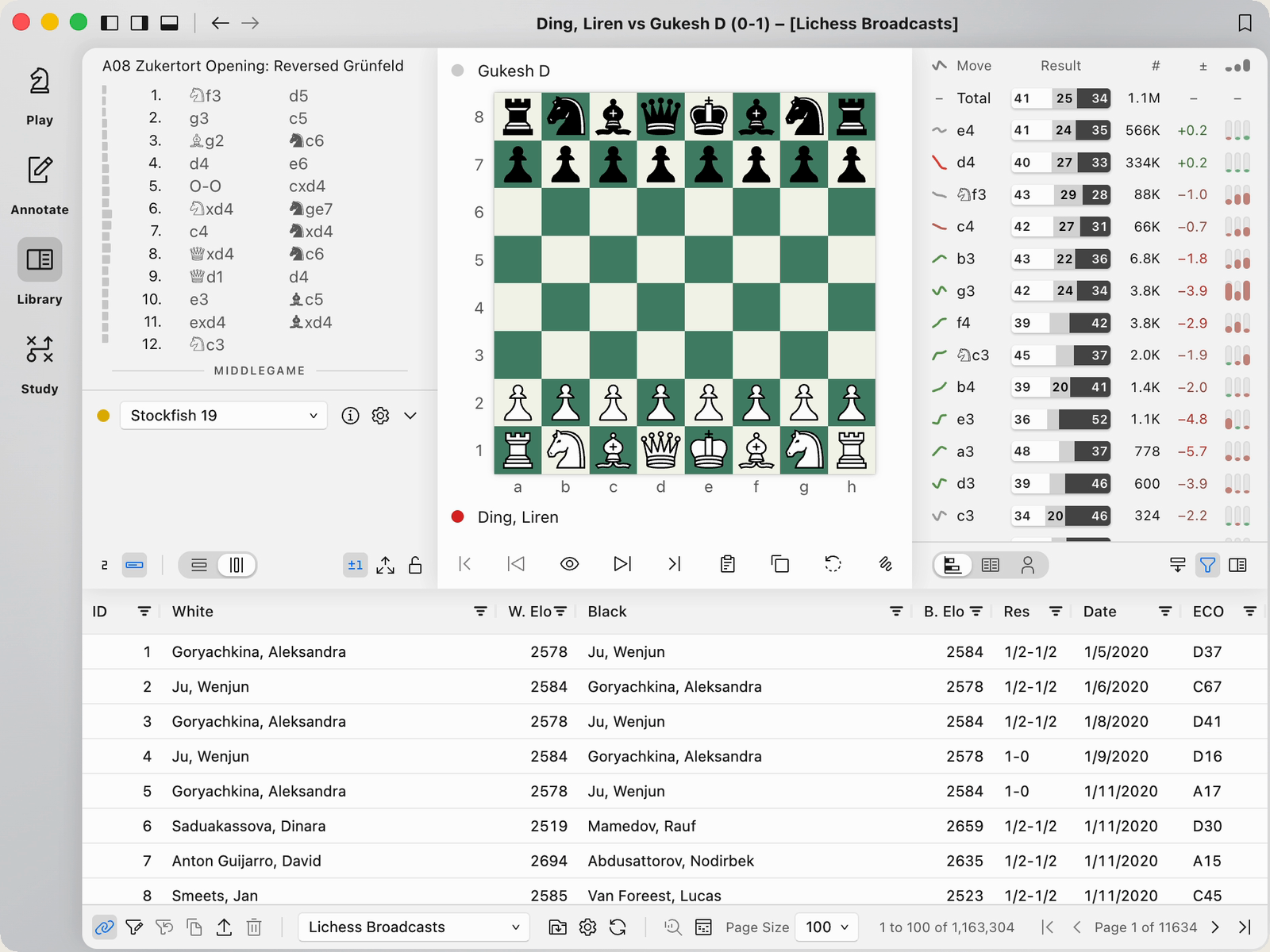
Your games, searched by position in under a second
Import PGN files, ChessBase databases (.cbh, .2cbh, .cbv and .2cbv) and SCID databases with their variations, comments, evaluation symbols, arrows and colored squares intact. Your games export to PGN.
In our tests on a MacBook Neo with 8 GB of memory, searching a 12-million-game database for a board position took under a second. There is no index to build first, and each search updates the move statistics for the games it finds.
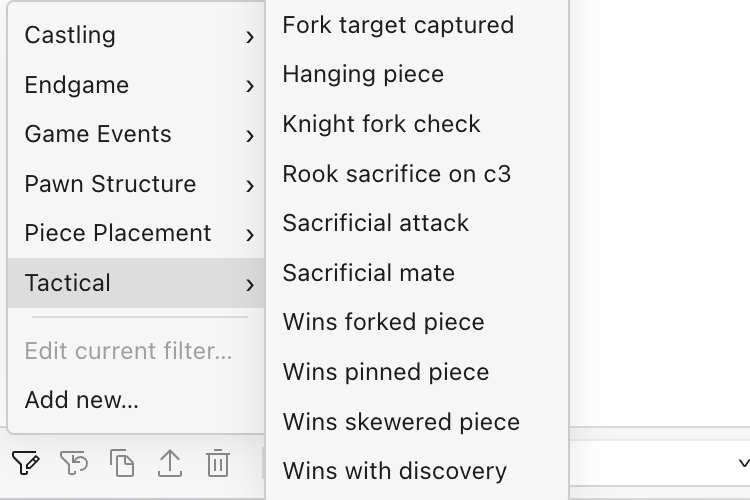
Search by tactic, material and structure
Stack rules for material, pawn structure, piece placement, ordered move sequences, and tactical motifs like pins, skewers and knight forks. Save the searches you reuse.
These searches look inside every game, so they take a few seconds across 12 million games.
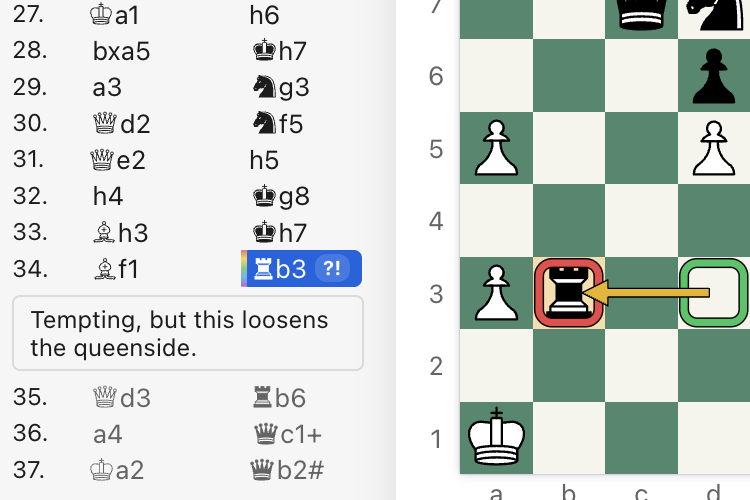
Annotate your games
In annotate mode, add variations, comments and evaluation symbols as you go, and draw colored arrows and square markers on the board. Run the engine over the whole game with the time or depth you choose for each move, and press X to see what your opponent was threatening.
In the library, the Moves and Openings tabs show how each move and named opening has scored in your database, with ECO codes and average ratings. Both tabs follow the board as you play through a line.
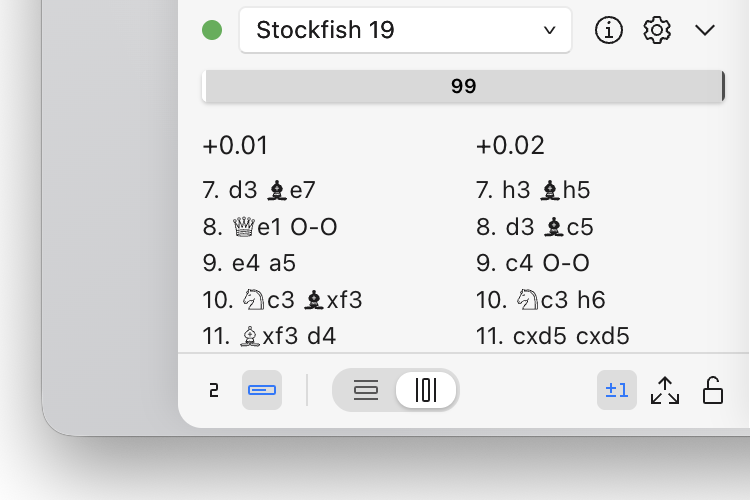
Stockfish 19 and your own UCI engines
ChessRoller offers to download Stockfish 19 the first time you run it, so you can start analyzing right away. Add your other UCI engines and choose which one analyzes and which one plays.
You get a fast overview of a game when you open it, and batch analysis when you want to go deeper. Add your CTG and Polyglot opening books, and your engines play from them.
Play the engine, or watch two engines play
Play an engine at the strength you choose, play a friend on the same Mac, or set two engines against each other, each with its own opening book. Games you play save to your library.
Turn your games into practice
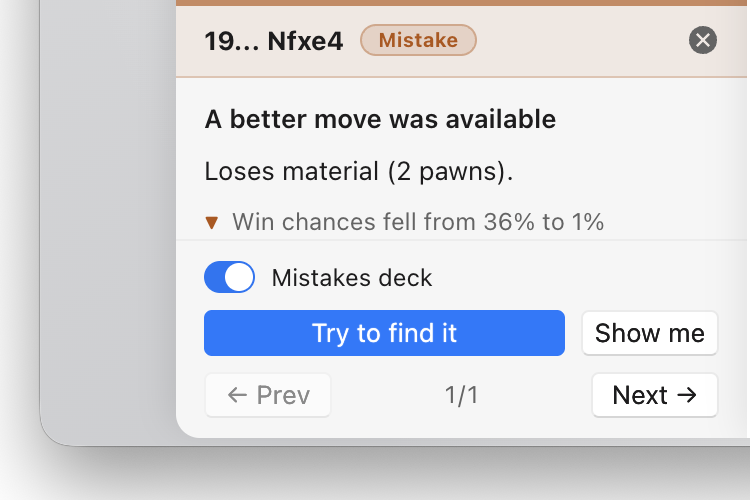
Review a game you played, and ChessRoller picks out the moves that mattered, names the tactic behind each one (such as a fork, skewer or discovered attack), and asks you to find the better move.
Your mistakes go into a spaced-repetition trainer alongside your opening repertoire, which you can generate from your own games and practice the same day.
Your online games, synced
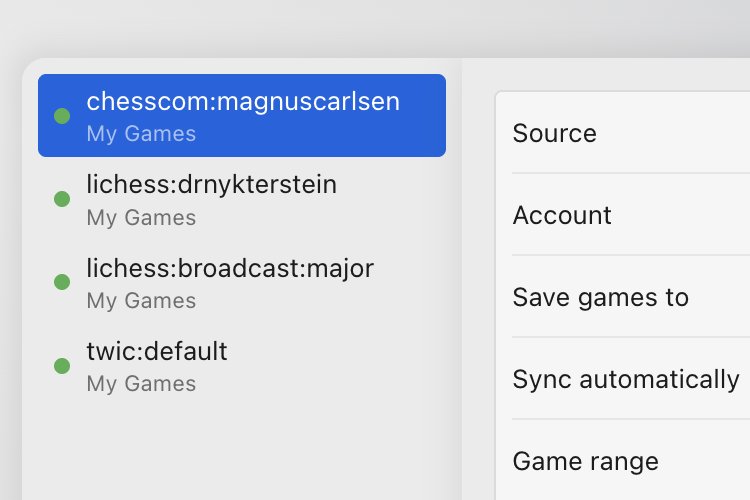
Follow your Lichess and Chess.com accounts, or your next opponent's, along with Lichess broadcasts and The Week in Chess. New games arrive in your database automatically.
Scout your next opponent
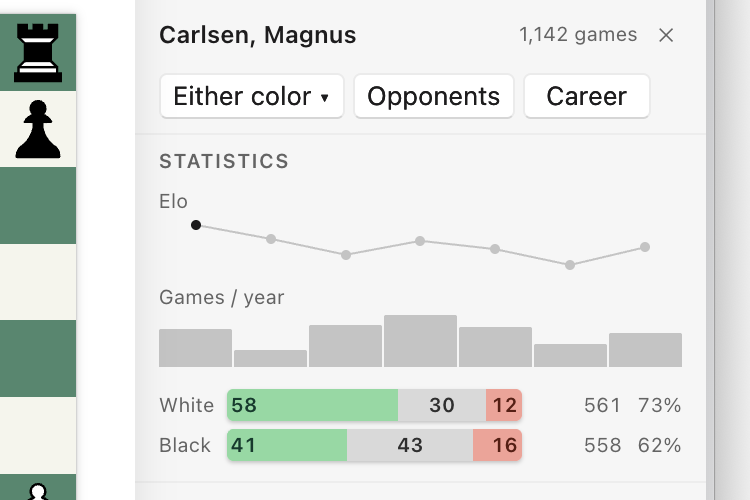
For any player in your database, see their rating by year, which openings they lean on, how they score with white and black, and who they've faced.
Free databases to start with
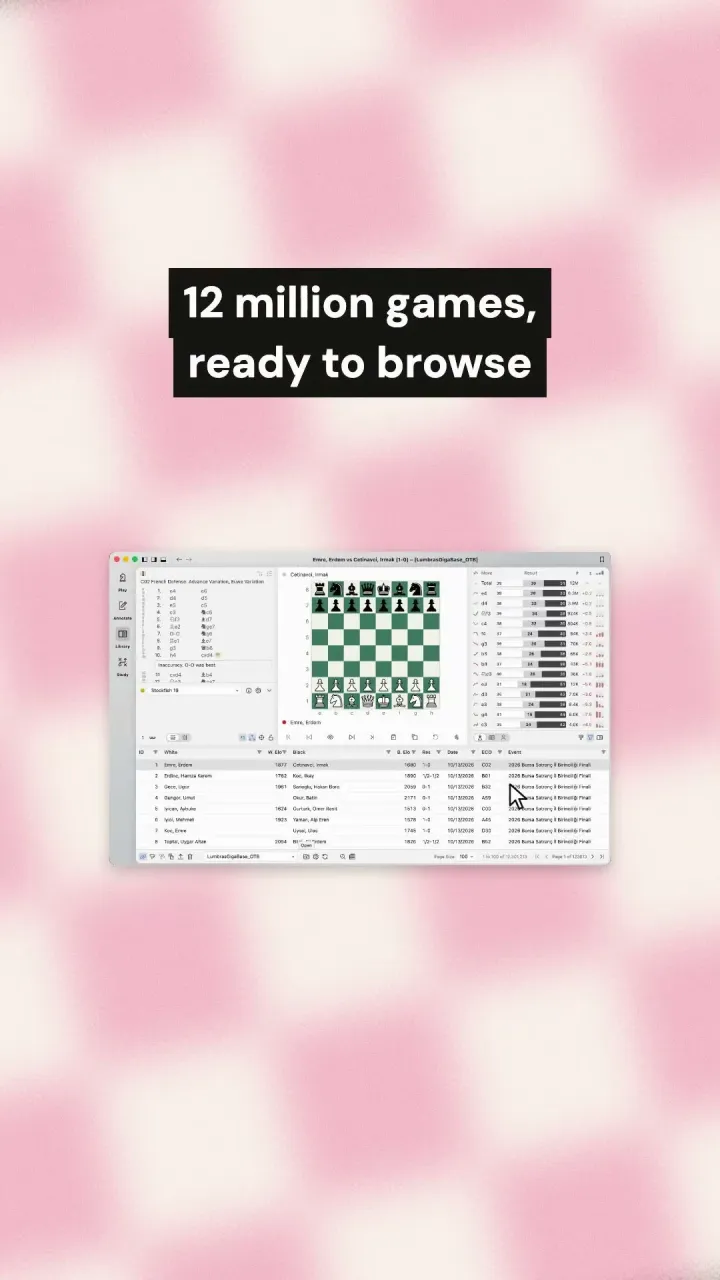
Lumbra's Gigabase has more than 12 million over-the-board games and 6 million online games, updated monthly, and The Week in Chess adds new top-level games weekly. See the free databases and how to import them.
ChessRoller for Mac at a glance
| Macs | Any Mac with Apple Silicon |
|---|---|
| Modes | Play, annotate, library and study |
| Imports | PGN, ChessBase (.cbh, .2cbh, .cbv, .2cbv) and SCID databases |
| Exports | PGN |
| Search | Position, material, pawn structure, move sequences and tactical motifs |
| Engines | Stockfish 19 offered on first run, plus any UCI engine |
| Opening books | CTG (.ctg) and Polyglot (.bin) |
| Sync | Lichess, Chess.com, Lichess broadcasts and The Week in Chess |
| Training | Game review and spaced-repetition trainers |
| Languages | 12 |
| License | One license for Mac and Windows, with two activations |
| Price | $69 once, no subscription |
Coming from another chess program
- HIARCS Chess Explorer: PGN databases import directly. Databases in HIARCS's own format need to be exported to PGN first. HIARCS engines are UCI engines, so you can add yours. More for HIARCS users.
- ChessBase: Your databases import as they are, and CTG opening books work with your engines. More for ChessBase users.
- En Croissant: Your PGN files import directly, and your Lichess and Chess.com accounts sync automatically.
- ChessX and Scid vs. PC: PGN and SCID databases import without conversion.
FAQ
Which Macs does it run on?
Any Mac with Apple Silicon. Intel Macs aren't supported.
Why pay when there are free chess apps?
Free apps like En Croissant, ChessX and Scid vs. PC are good, and you can try ChessRoller free for 7 days to compare. In one app, ChessRoller brings together position searches across millions of games with no index to build, tactical-motif searches, direct ChessBase import, automatic Lichess and Chess.com sync, and game reviews that send your mistakes to a spaced-repetition trainer.
Which engine does it come with, and can I add my own?
ChessRoller offers to download Stockfish 19 the first time you run it. Add any UCI engine, including HIARCS, and choose which one analyzes and which one plays.
How many computers can I use it on?
Two at a time, in any mix of Mac and Windows. Deactivate one from within the app to move the license to another machine.
Can I try it before buying?
Yes. Every feature is free for 7 days, with no email or key needed. And if you buy and change your mind, email us within 14 days of purchase for a full refund.
Is it a subscription?
No. You pay once, and updates and fixes for the version you buy are free. If a major new version ships later, upgrading is optional and paid, and your copy keeps working either way.
Which languages does it support?
Twelve: English, Deutsch, Español, Français, Italiano, Nederlands, Polski, Português (Brasil), Русский, Українська, 简体中文 and 繁體中文. The app follows your system language, and you can switch at any time.
$69 once. No subscription.Free for 7 days. No account or email.
HIARCS is a trademark of Applied Computer Concepts Ltd. ChessBase is a trademark of ChessBase GmbH. ChessRoller is not affiliated with or endorsed by either.