A HIARCS Chess Explorer alternative for Mac and Windows
Bring your HIARCS games. Leave the waiting behind.
Search 10 million games by position in under a second. Your databases import with annotations intact.
$69 once. No subscription.Free for 7 days. No account or email.
Position searches in under a second
In our tests on a MacBook Neo with 8 GB of memory, searching a 12-million-game database for a board position came back in under a second. There is no index to build first.
Each search updates the move statistics for the games it found, with no report to run afterwards.
Imports your PGN databases
HIARCS Chess Explorer keeps games as PGN, so the files you already have import as they are. Databases in the HCE format export to PGN first. ChessRoller reads the variations, comments, evaluation symbols, arrows, colored squares, engine evaluations and clock times a PGN file carries.
ChessBase and SCID databases import too, and everything exports back to PGN.
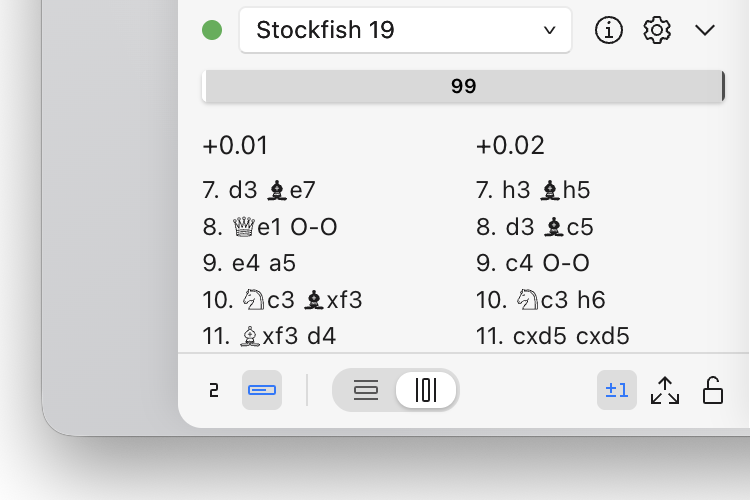
Stockfish 19 and your own UCI engines
ChessRoller offers to download Stockfish 19 the first time you run it, so you can start analyzing right away. Add your other UCI engines, a HIARCS engine among them, and choose which one analyzes and which one plays. You get a fast overview of a game when you open it, and batch analysis when you want to go deeper.
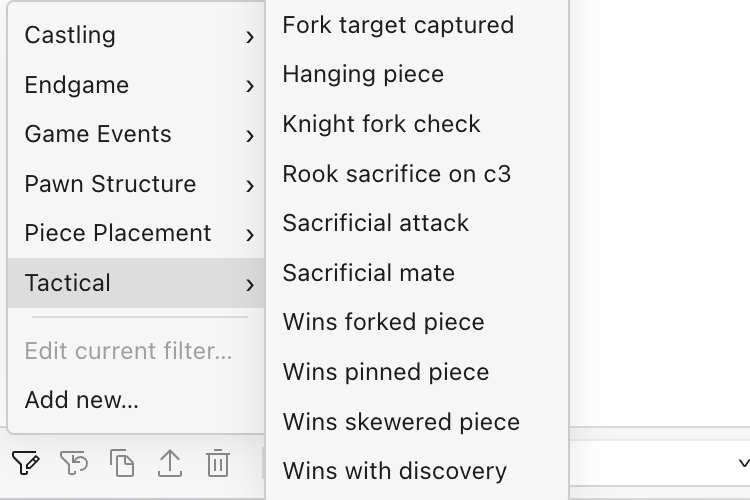
Search by tactic, material and structure
Stack rules for tactical motifs like pins and skewers, material, pawn structure and ordered move sequences. Save the searches you reuse.
These searches look inside every game, so they take a few seconds across 12 million games.
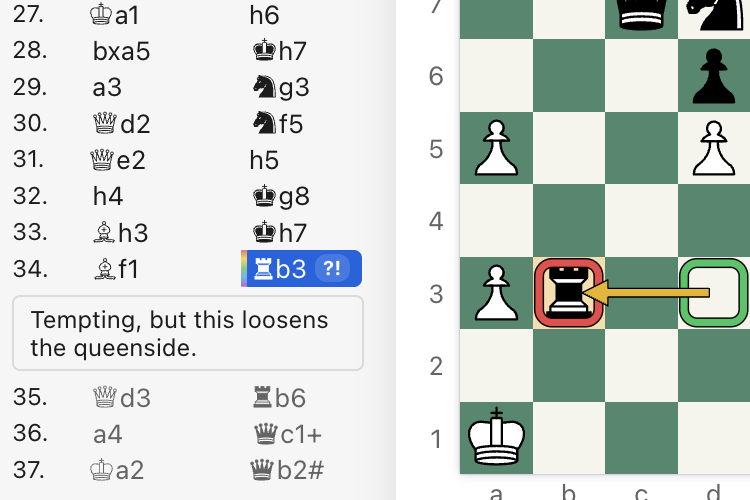
Turns your mistakes into practice
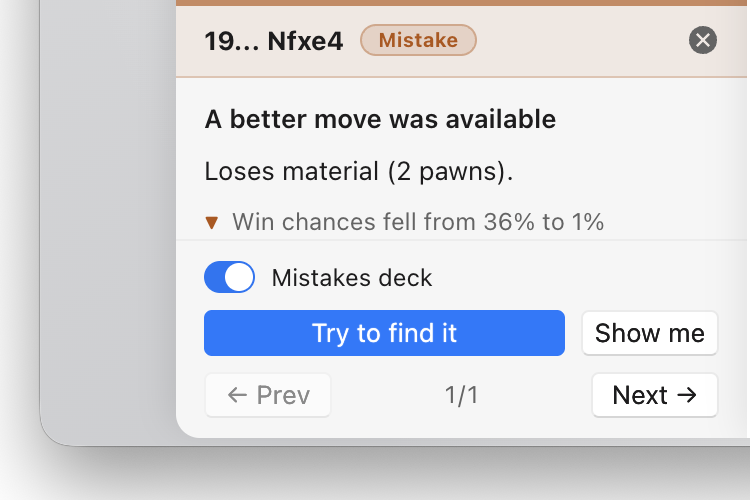
Review a game, and the mistakes it finds go into a spaced-repetition trainer alongside your repertoire lines. It's the method flashcard apps use to make facts stick, applied to your openings and your blunders. You can also generate a starting repertoire from your own games and practice it the same day.
Reads CTG and Polyglot opening books
Add your CTG or Polyglot opening books in Settings → Opening Books and your engines play from them, with nothing to convert. Moves the book marks as bad are never played.
One edition. Every core.
Pay once, with no recurring fees or renewals. There is no single-core edition and no premium tier: one purchase covers the database, the engine analysis, the game review and the trainers, and your engines use as many cores as you give them. Your games stay on your own machine, and your copy is yours to keep.
Tell us what you need
We want ChessRoller to be the best tool for your chess study, whether you play online or over the board. Tell us how you study, what fits and what doesn't, and what's missing. Write to us at [email protected].
FAQ
Which Macs and PCs does it run on?
An Apple Silicon Mac (M1 and later), or a PC with Windows 11 on x64 or ARM. Intel Macs aren't supported. The same license covers both.
Can I import my HIARCS databases?
Yes, as PGN. PGN databases import directly, with the variations, comments and other annotations the files carry. ChessRoller doesn't read the HCE format, so export those databases to PGN from HIARCS Chess Explorer first.
Can I use my HIARCS engine?
Yes. HIARCS engines speak UCI, so you can add yours next to Stockfish 19 and pick it for analysis or for play.
Can I use my opening books?
CTG and Polyglot books, yes, for engines. Choose the book in Settings → Opening Books and engines play from it in games and engine matches. To browse opening statistics yourself, use the Moves and Openings tabs, which work from your games.
Can I switch back?
Databases export to standard PGN, the format HIARCS Chess Explorer reads. Your games sit in files you control.
Do I need an account?
You don't need an account to use the app. Your license key is activated online when you first enter it, and re-checked from time to time, with a grace period for working offline in between.
$69 once. No subscription.Free for 7 days. No account or email.
HIARCS is a trademark of Applied Computer Concepts Ltd. ChessRoller is not affiliated with or endorsed by Applied Computer Concepts Ltd.